
Category: How-to

How to Turn Off Motion Smoothing on Your TV
If you’re experiencing the soap opera effect on your TV, or if your picture simply doesn’t seem to look natural, here’s how to disable motion smoothing…
How to record a call on your Android phone
Recording a phone call on your Android phone may not be something you need to do often, but when you need to know, you need to know, right? We’ve got you covered…

How to Encrypt any File, Folder, or Drive on Your System
Trust us, it’s safer this way…

Forget Email: How to Send and Receive a Fax Online
If you don’t have access to a fax machine, you can send and receive faxes from your iPhone, Android, or computer…
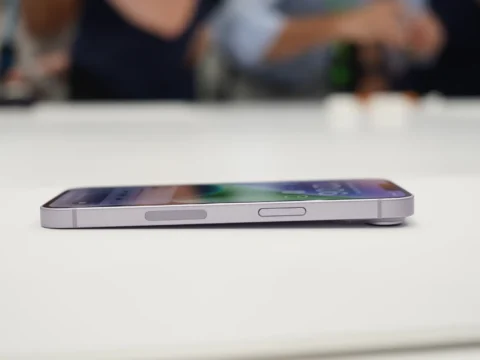
Don’t Panic: What to Do If Your Phone Won’t Turn On
Has your phone stopped turning on? Here are some troubleshooting tips that can help you get your iPhone or Android device running again…
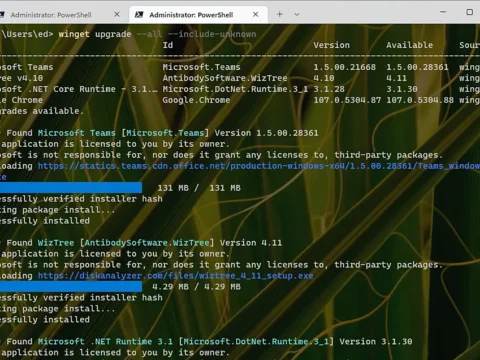
Winget: The best way to keep Windows apps updated
The winget command, which taps into the Windows Package Manager service, makes it a breeze to keep applications up to date in Windows 10 or 11. Here’s how to use it…

Is your computer watching you? Cybersecurity expert reveals warning signs of a hacked webcam or smartphone – and how to stop bad actors from infiltrating devices
A cybersecurity expert reveals three warning signs of a hacked smartphone camera or webcam…

Microsoft Visio cheat sheet: How to get started
Visio in Microsoft 365 is an excellent tool for creating custom diagrams to illustrate concepts that are difficult to explain through text. Here’s how to use it…

How to Save Your Smartphone’s Battery Life
Shrug off your anxiety with these power-saving tips to extend the juice of your iPhone or Android phone…

Consolidate Your Data: How to Combine Multiple Storage Drives in Windows
With the Windows Storage Spaces tool, you can pair your hard drives together to consolidate data and add redundancies to all your drives. Here’s how to get started…

Is Zoom Down? How to Fix Video Chat Picture or Sound Problems
If you’re trying to join a Zoom chat or Google Meet, but can’t see the video or hear the audio, here are some troubleshooting tips to make the program work…

How to buy PCs for your enterprise
IT has several judgments to make in deciding which Windows PCs — and other business computers like Macs and Chromebooks — should make up its computing fleet. Most aren’t about the PCs themselves…