
Category: How-to

Lock It Down: How to Use 2FA on Twitter Without Paying for Twitter Blue
Twitter is discontinuing SMS-based 2FA for everyone except Twitter Blue members. Here’s how to switch from text-based multi-factor authentication to an app or security key…

This Microsoft Edge feature drives me insane. Luckily there’s a fix
Here’s how to keep browser tabs from appearing when you Alt + Tab…

10 cheap or free ways to make your old PC run faster
If your old workhorse of a PC is starting to slow down in its old age, these low (or no-) cost tricks can help put some pep in its processing step…

Is This Facebook Email a Fake?
Verifying that an email came from Facebook is incredibly simple, but only if you know where to look. We show you how…

How to Lock Down Your Google Account With a Security Key
Google accounts can be critical pieces of your online life. Keep them safe from account takeovers with a hardware security key…

How to use ChatGPT in the Opera browser
Opera has devised a first use-case for the generative AI bot that has taken the world by storm…
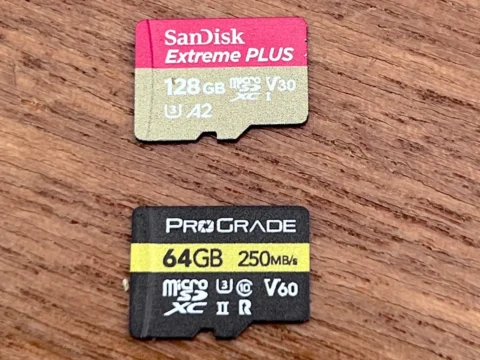
What do all those microSD and SD card numbers and letters mean?
Deciphering microSD card and SD card storage jargon…

How to block blue light on Windows 11
Begone, tension headaches!…

10 obscure Windows features that will blow your mind
These quick tips will help you save time and get organized…

Your home address is leaked on the internet. How to delete it?
Why using an automated personal data removal service such as Incogni is your best bet…

How to Make Sure You’re Not Accidentally Sharing Your Location
Keep your movements private…

So, You’re Locked Out of Multi-Factor Authentication. Now What?
You did everything right and secured your account with multi-factor authentication, but now you’ve managed to lock yourself out. Here’s how to escape this predicament…