
Category: How-to

How to Get Starlink Satellite Internet and Set It Up the Right Way
SpaceX’s Starlink satellite internet service unlocks excellent speeds pretty much anywhere you can see the sky. Here’s how to get started, step by step, whether you have the Starlink residential kit or the portable Starlink Mini…

4 Ways to Upgrade to Windows 11 for Free, Even With an Incompatible PC
Whether or not your Windows 10 computer is eligible for a Windows 11 upgrade, there are a few ways to jump to Microsoft’s newer OS without paying for it…

Don’t get hacked! I open dubious PC files in a sandbox. You should too
Files and links that you receive could be infected with viruses. If you are ever unsure whether a file is harmless or whether a link leads to a safe website, check it in an online sandbox…

How to Avoid Cryptocurrency Scams
If you know what you’re doing, crypto can be a lucrative endeavor, but it’s also ripe with scams. Don’t get duped. Here’s what to look out for before you load up on virtual currency…

5 signs a hacker is watching you through your PC’s webcam
Know the tell-tale signs that you’re being spied on!…
Hate Windows 11? These 9 free apps make it feel like Windows 10 again
Newer is not necessarily better — that’s how many PC users feel after switching from Windows 10 to 11. We show you how to set up the current operating system version “just like before.”…
6 steps to recover missing data in Windows
Missing folders? Unreadable files? Corrupted hard drive? Sooner or later, most PC users lose data of some kind. Here’s a series of steps you can take in Windows 11 (or 10) to bring things back…
How to keep using Windows 10 in a virtual machine after support ends
On October 14, 23025, Microsoft will end support for Windows 10, meaning no more free security updates. Instead of disposing Windows 10, continue to use the system in a VM…
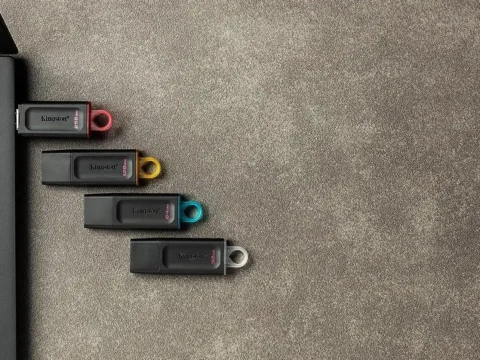
How to turn a USB flash drive into a secure login key for your PC
The extra layer of security you must have!…
Become a Windows 11 Expert: 30 of Our Favorite Tips and Tricks You Need to Know
Customize your Windows 11 experience, learn about the best new features, and squeeze the most out of Microsoft’s superb desktop OS with these hand-picked tips and pointers…

How to Stop Windows Apps From Launching at Startup
Too many startup apps can be a drag on your PC’s performance. Here’s how to prevent apps from automatically starting when you sign into Windows 10 or 11…
Why pay for Windows Pro’s advanced features when you can get them for free?
Some Windows Pro functions are also interesting for users of the Home edition. However, an expensive upgrade is not necessary because free programs offer the same features…